 Dayquilt
Your whole day,
stitched together.
Dayquilt brings your calendar, tasks, habits, journal, focus timer and countdowns into one calm, colorful planner. One place for your day, instead of five apps. Everything syncs through your own iCloud.
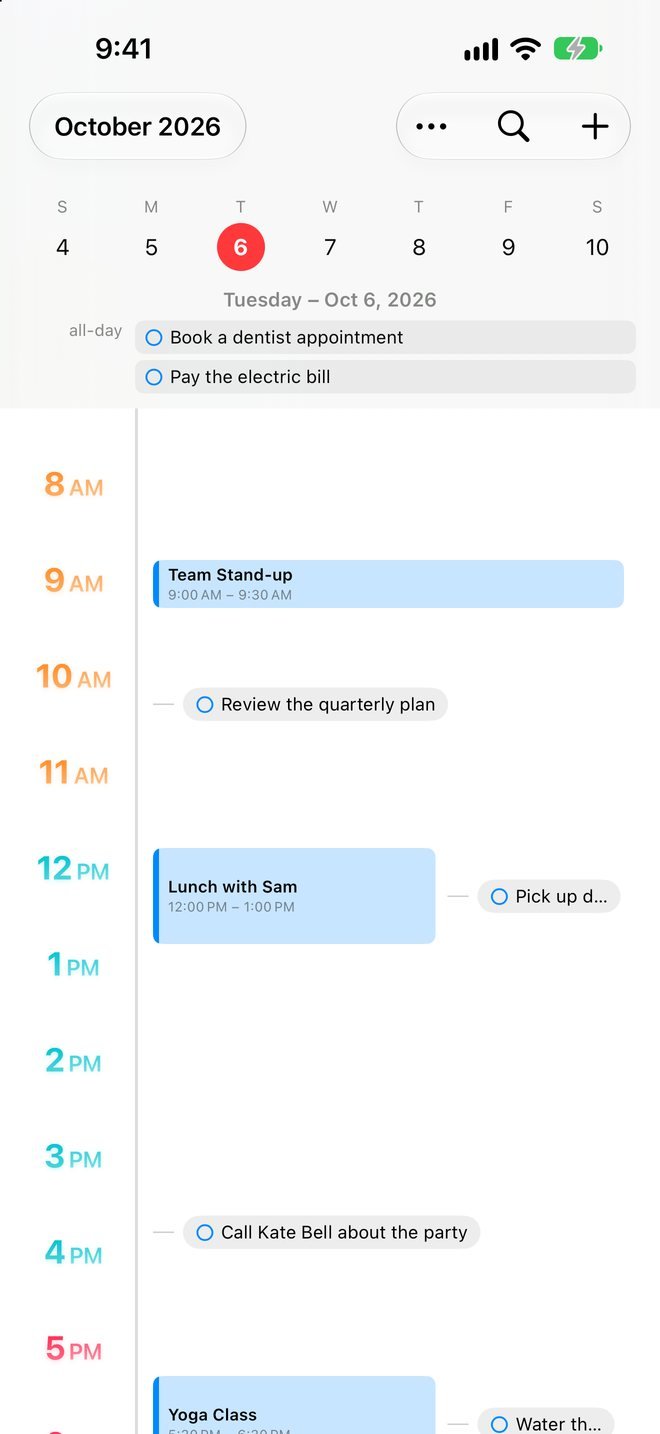
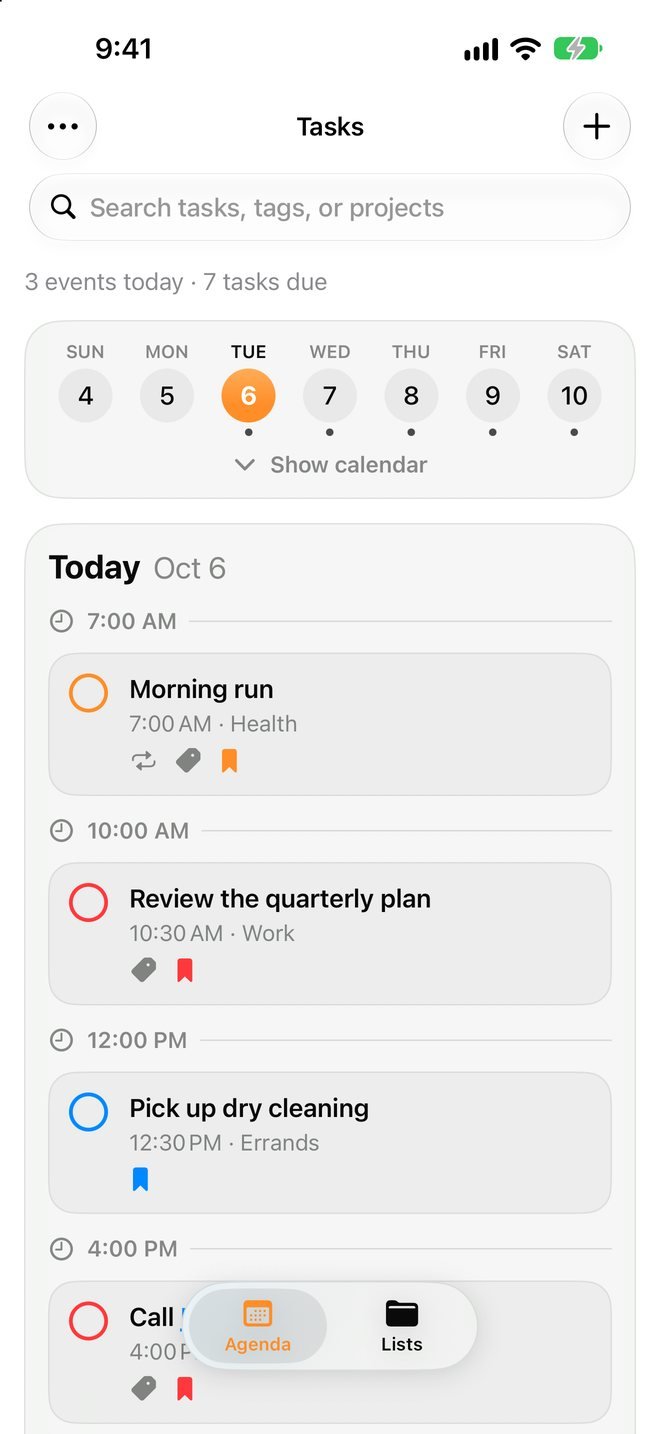
Your day on one timeline.
Calendar events and timed tasks side by side, hour by hour, with a red line for right now.
- ☀︎Events and tasks togetherYour calendars and your to-dos on the same timeline, so nothing double-books.
- ✓Tap to complete, drag to rescheduleCheck things off right on the timeline, or hold and drag a task to a new time.
- ⇆Swipe through the weekA week strip at the top, a Today button to jump back, and a month view one tap away.
- ◷Colorful hour labelsMorning, afternoon and evening each get their own color, sized the way you like.
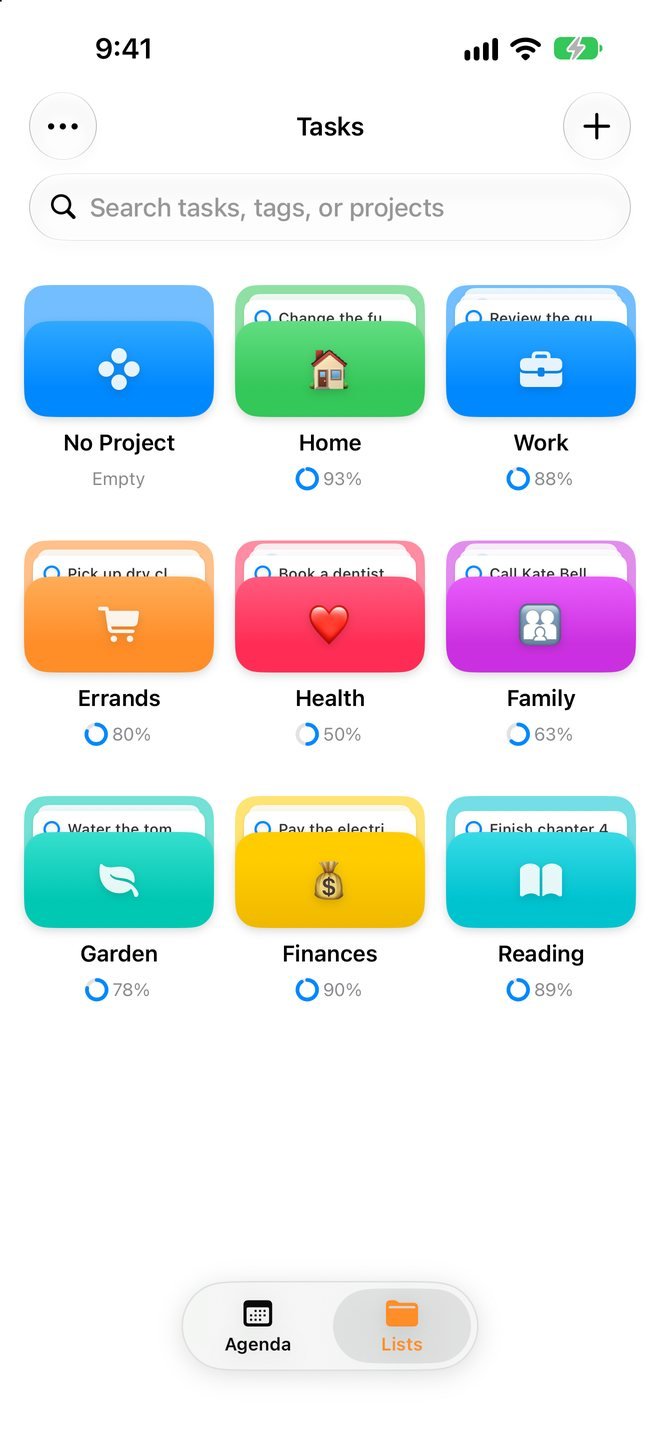
Projects you'll recognize at a glance.
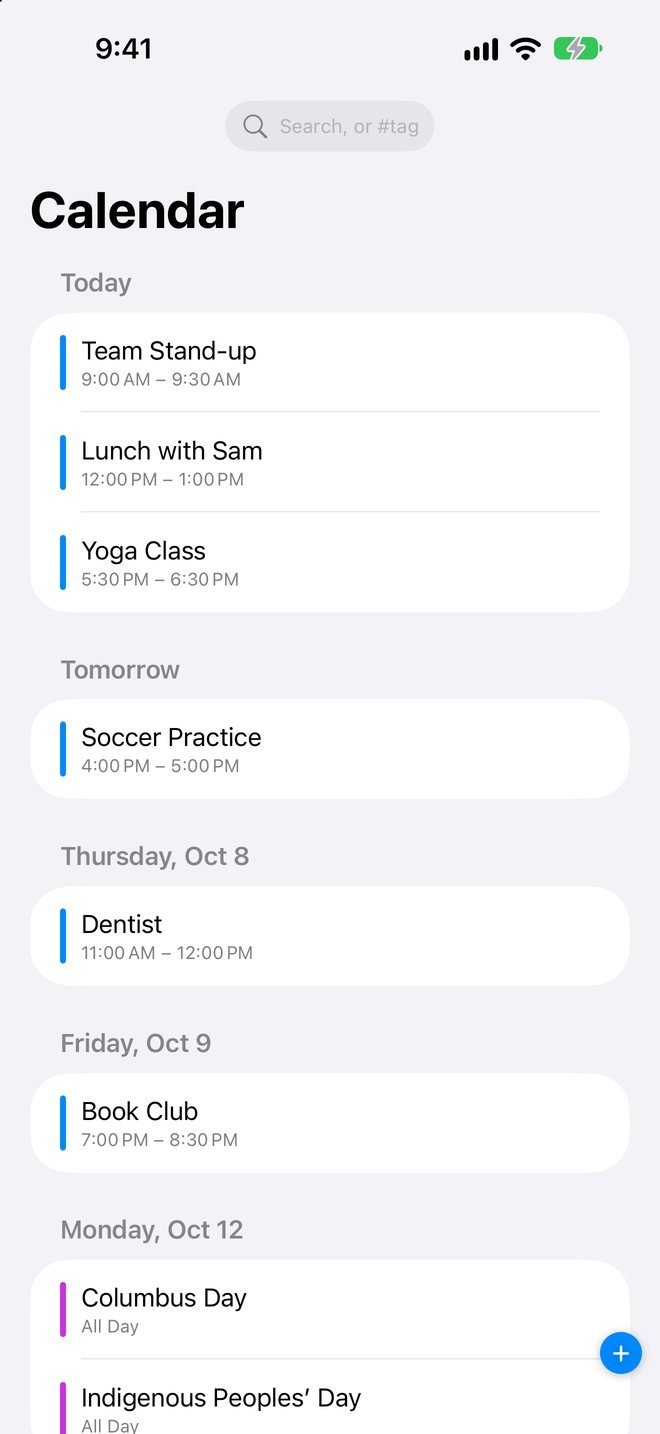
See what's due day by day in Agenda, or browse your projects as colorful folders in Lists.
- ▤Folders with your own colors, icons and emojiEach project shows its first few tasks and how much is done.
- ⚑Everything a task needsPriorities, tags, due dates and times, repeats, multiple reminders and notes with clickable links.
- ↺Catch up on what slippedOverdue days get a "Go through" button to finish, move or skip each task in seconds.
- ✦Type it the way you'd say it"Dentist next Tuesday at 3pm, high priority" fills in the task for you, with Apple Intelligence.
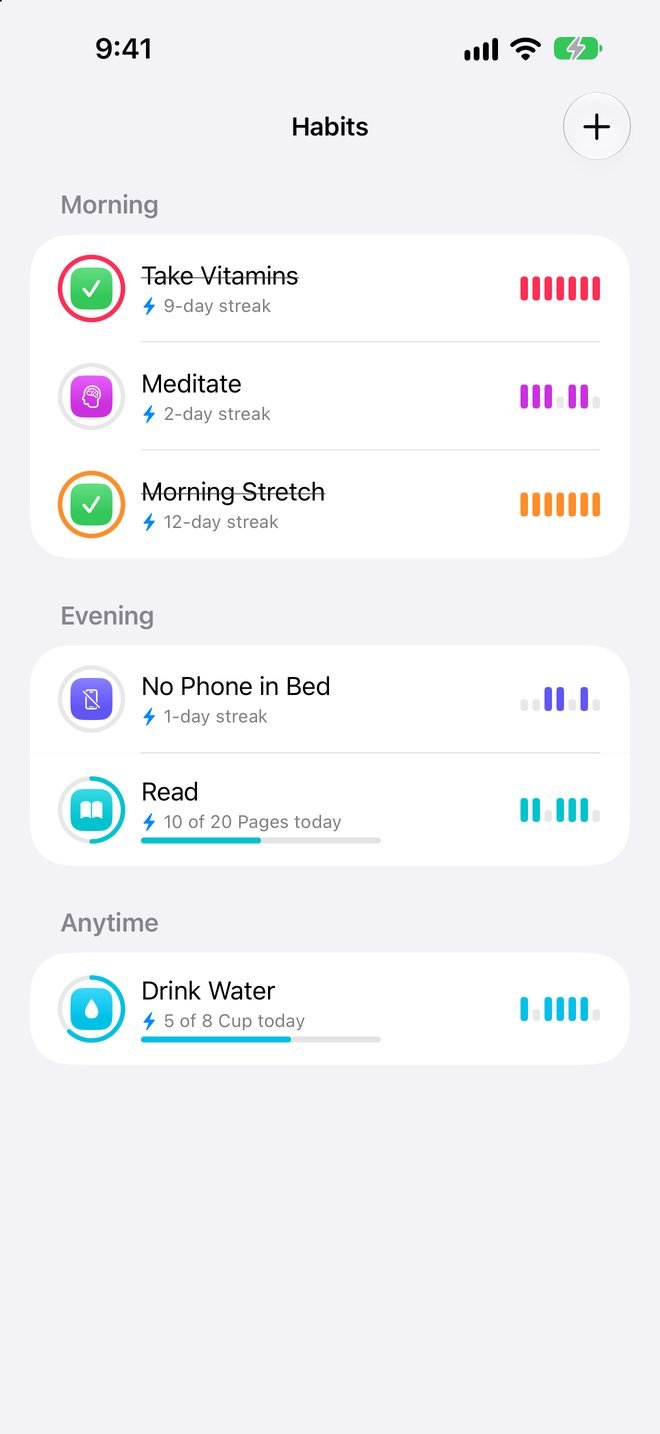
Small things, every day.
Check a habit off, or build up to an amount, like 8 cups of water or 20 pages.
- 💧Amount goalsEach tap adds a cup, a page or a set, and the ring fills as you go.
- ⚡Streaks and a 7-day historySee your streak and the last week at a glance.
- →Swipe to logSwipe a habit right to log it. Tap it to change anything.
- 🔔Reminders and ideasDaily reminders, and a gallery of habit ideas to get you started.
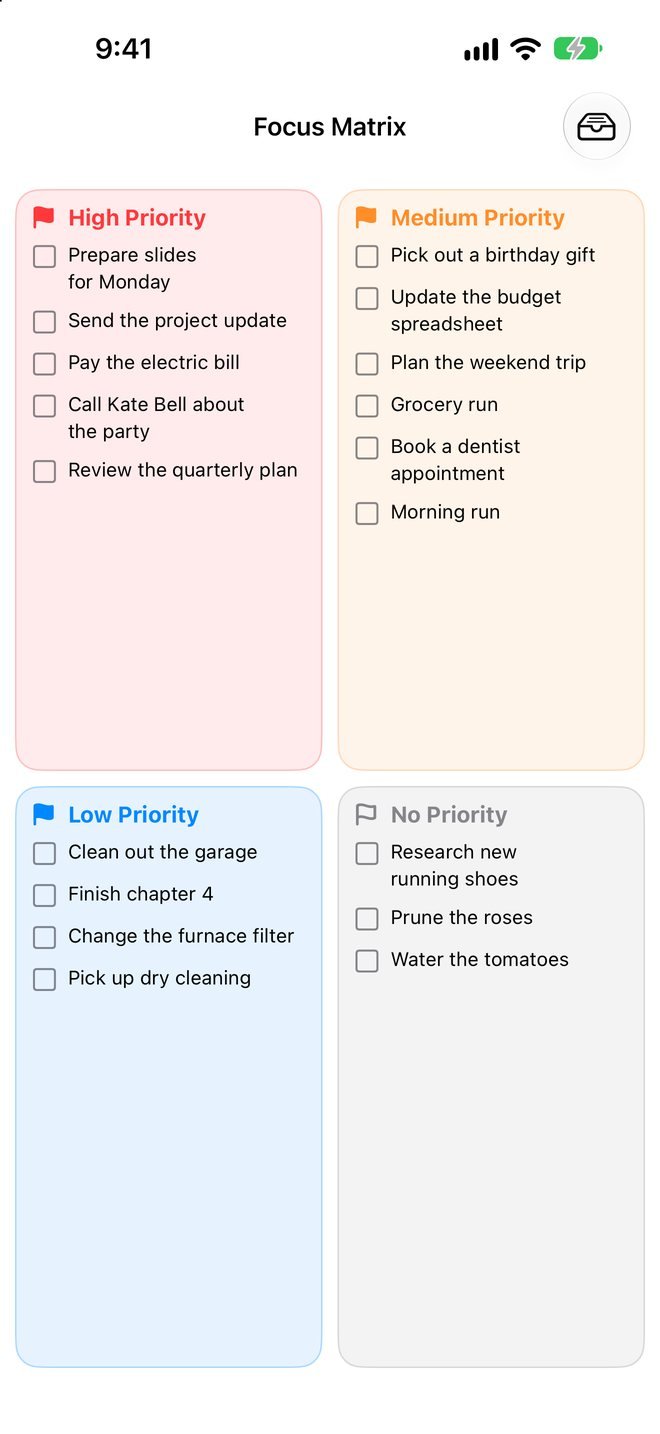
Decide what matters, then do it.
Sort your tasks by priority, then focus with a timer.
- ◫Focus MatrixFour priority quadrants. Drag a task from one to another to change its priority.
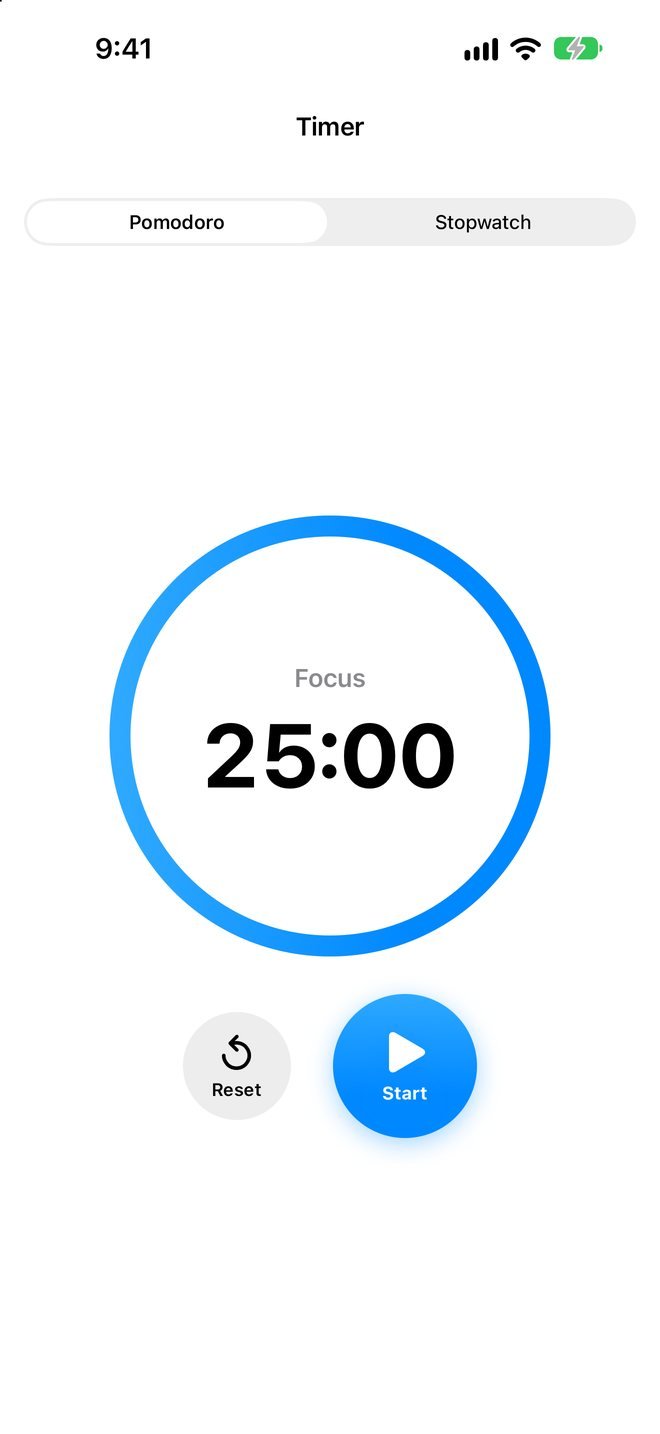
- ⏱Pomodoro and stopwatch25-minute focus sessions with breaks, and a stopwatch, with a ring that shows time passing.
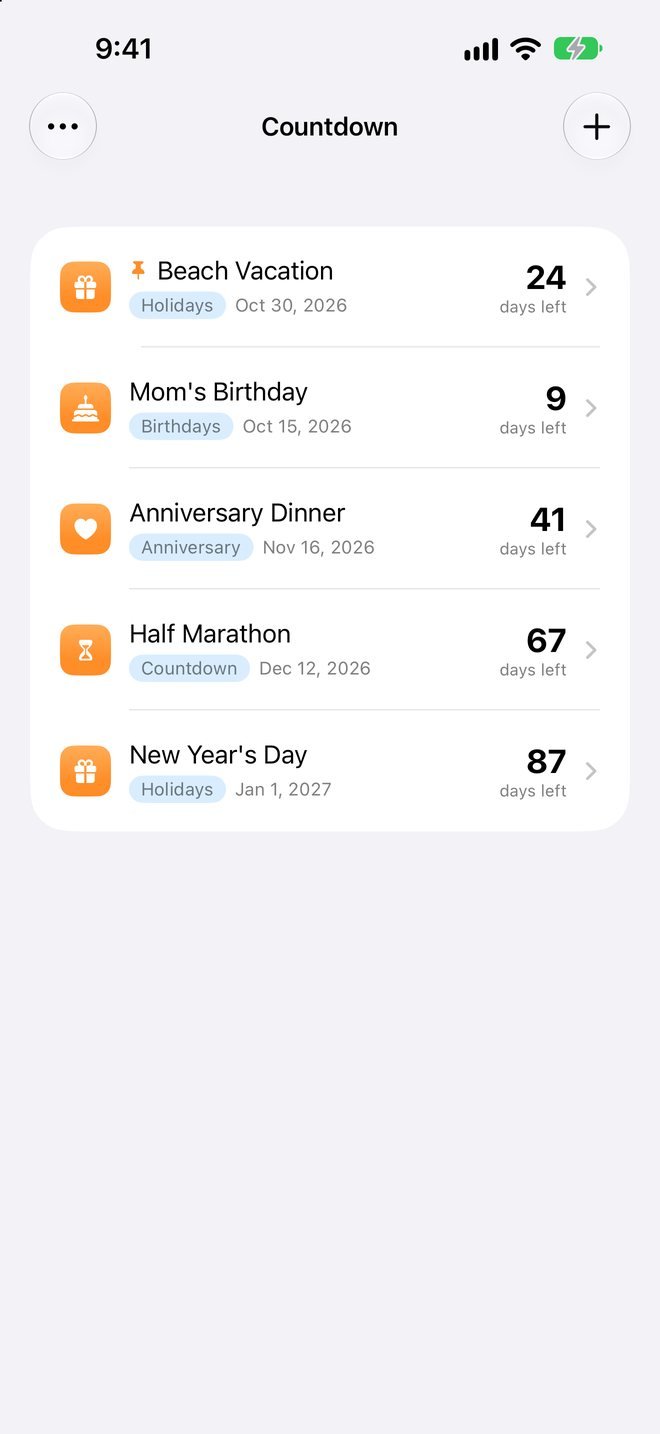
- ⏳CountdownsDays until birthdays, holidays, trips and big events.
See how you're really doing.
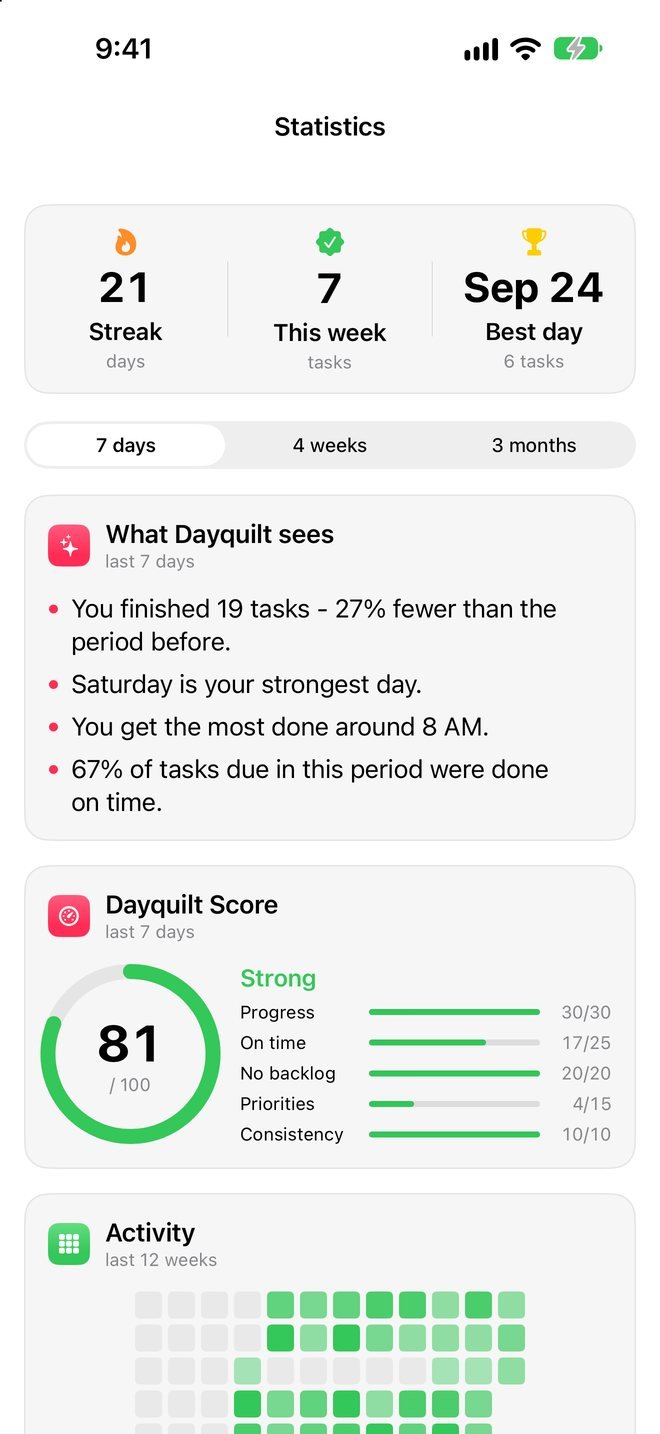
Streaks, a daily score and plain-English notes about your patterns.
- ▦Activity heatmapTwelve weeks of what you got done, at a glance.
- ◎Dayquilt ScoreOne number for progress, on-time tasks, backlog, priorities and consistency.
- ✦What Dayquilt seesYour strongest day, your best hours, and what tends to slip.
Your colors, your photo, your layout.
Dayquilt adapts to how you like to see things.
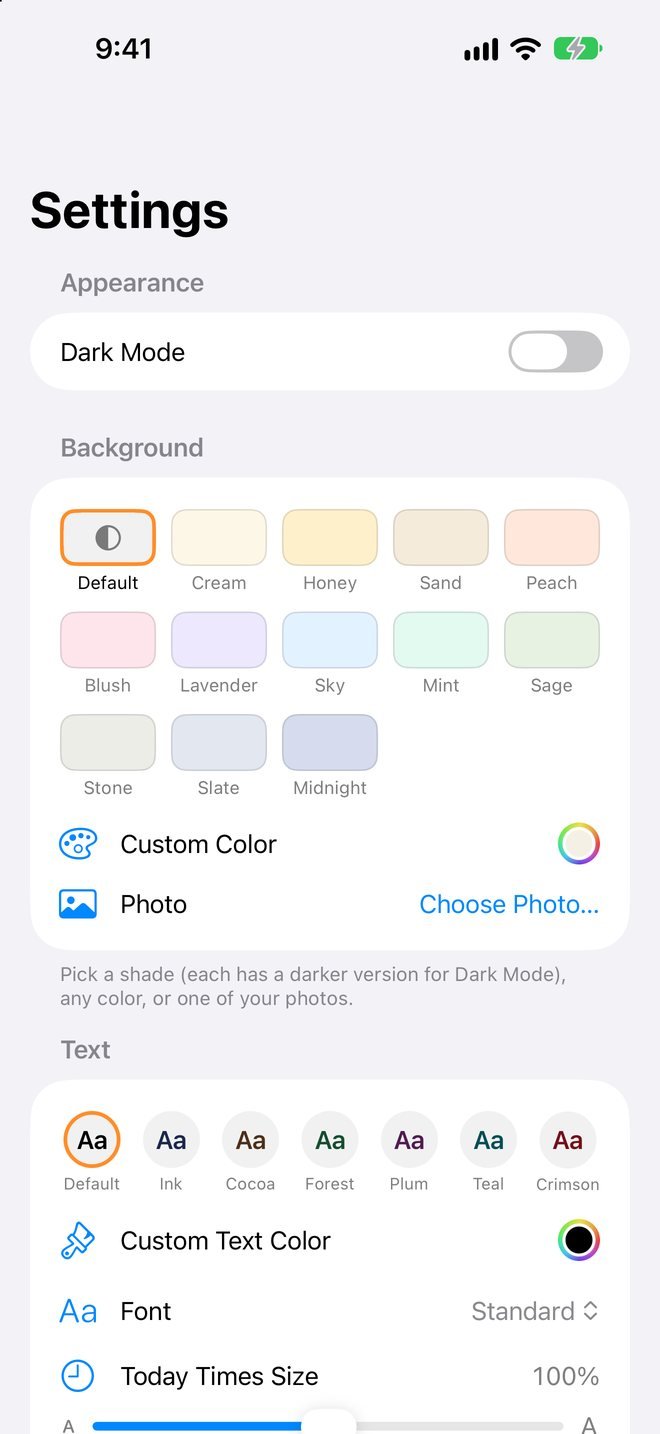
- 🎨BackgroundsTwelve shades with dark-mode versions, any color, or one of your own photos.
- AaText color, font and sizeRounded, serif or typewriter fonts, text colors, and a size that suits you.
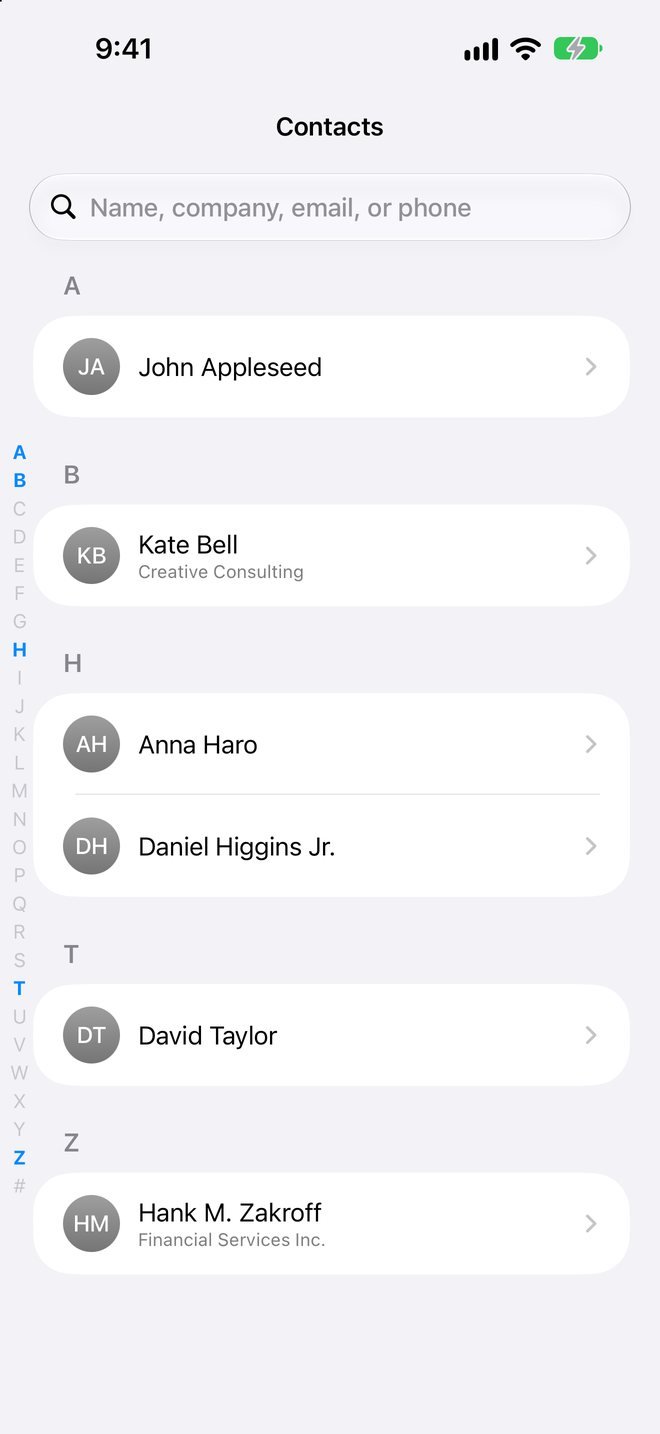
- 👤Contacts built inNames in your tasks become links, so you can call or message someone in one tap.
- ⇪Bring your tasks with youImport from Things 3, Reminders, Todoist, TickTick, OmniFocus or a spreadsheet.
Your day is nobody's business.
There's no Dayquilt account and no tracking. Your tasks, journal and habits live on your devices and in your own iCloud, where only you can see them.
No account
Sync uses the iCloud account already on your devices.
No tracking
No analytics, no ads, and your data is never sold.
On your devices
Smart features use Apple Intelligence on your device.
Your calendars, untouched
Dayquilt works with the calendars and contacts you already have.
Everything in Dayquilt
Today
- Hour-by-hour timeline
- Events and tasks side by side
- Tap to complete, drag to reschedule
- All-day row with "show more"
- Week strip, month and year jump
- Day, Week, Month and Year views on Mac
Tasks
- Agenda and Lists views
- Project folders with colors, icons and emoji
- Priorities, tags and repeats
- Up to five reminders per task
- Notes with clickable links
- Select many to move, tag or complete
- Logbook to restore finished tasks
Calendar
- Works with iCloud, Google and Exchange calendars
- Multiple alerts and repeats
- #tags and priorities on events
- Show or hide calendars (Mac)
Habits
- Check-off or amount goals
- Every day, certain days, or every few days
- Streaks and 7-day history
- Swipe to log
- Reminders and a habit gallery
Journal & Countdown
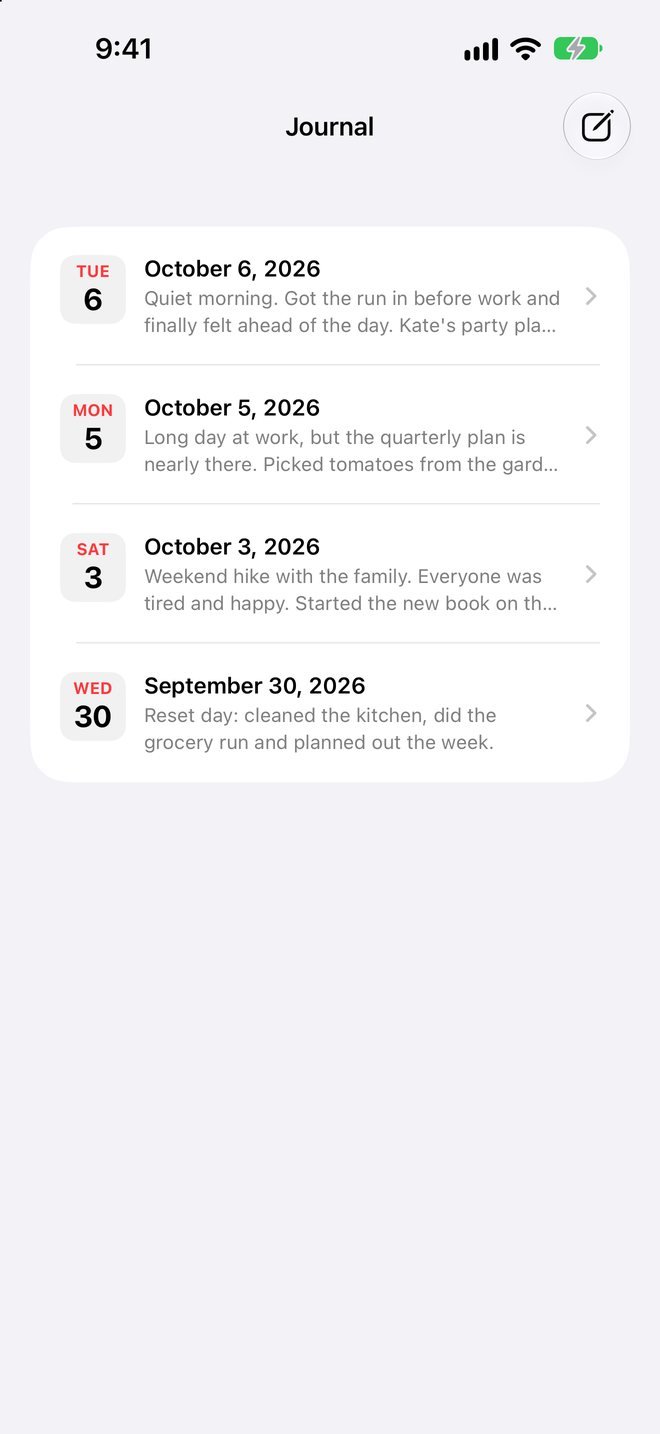
- Daily journal with word count
- Countdowns to birthdays and events
- Pin, group and archive countdowns
Focus
- Focus Matrix with drag and drop
- Pomodoro timer and stopwatch
Statistics
- Streaks, records and Dayquilt Score
- 12-week activity heatmap
- On-time, overdue and time-of-day charts
- Plain-English insights
Personalize
- Background shades, colors or a photo
- Text colors and four fonts
- Adjustable text and timeline sizes
- Sidebar or tab bar, in your order
- Dark mode
Works with
- iCloud sync, no account
- Siri and Shortcuts
- Contacts
- Apple Intelligence quick add
- Import from Things 3, Reminders, Todoist, TickTick, OmniFocus and CSV
Good to know
When can I get it?
Dayquilt is in testing now and coming soon to the App Store. Email support@dayquilt.com and we'll let you know when it's out.
Which devices does it work on?
iPhone and iPad (iOS 17 or later) and Mac (macOS 14 or later). Your tasks, habits, journal and countdowns sync between them through iCloud.
Do I need an account?
No. Dayquilt uses the iCloud account that's already on your devices. There's nothing to sign up for.
Can I bring my tasks from another app?
Yes. Dayquilt imports from Things 3, Apple Reminders, Todoist, TickTick, OmniFocus and any spreadsheet (CSV). It skips tasks you already have, and you can undo an import in one step. See Import in Help.
Does it work with my calendar?
Yes. Dayquilt shows and edits the calendars already on your device, including iCloud, Google and Exchange.
Where is my data stored?
On your devices and in your own private iCloud. We can't see it. Read the privacy policy for details.
How do I…?
The Help Center has step-by-step guides for every part of Dayquilt, on iPhone, iPad and Mac.
Something isn't working
In Dayquilt, go to Settings › Help › Send Diagnostics. It emails us a short technical report (no tasks or personal content) so we can help quickly. Or email support@dayquilt.com.
Talk to a person
Questions, bugs or ideas? We read everything and usually reply within a day or two.